
Amazon advertising can grow a product quickly, or burn through budget with little to show for it. The difference often comes down to setup. A clear Amazon PPC campaign structure makes it easier to control spend, see what’s working and scale the winners. A messy one hides wasted spend inside campaigns you can’t easily read.
This guide walks you through a simple, proven structure for beginners: the main ad types, how auto and manual campaigns work together, match types, negative keywords and bidding basics.
The Three Main Amazon Ad Types
Before structuring campaigns, it helps to know what you’re working with. Amazon Ads offers three core self-service ad types for sellers:
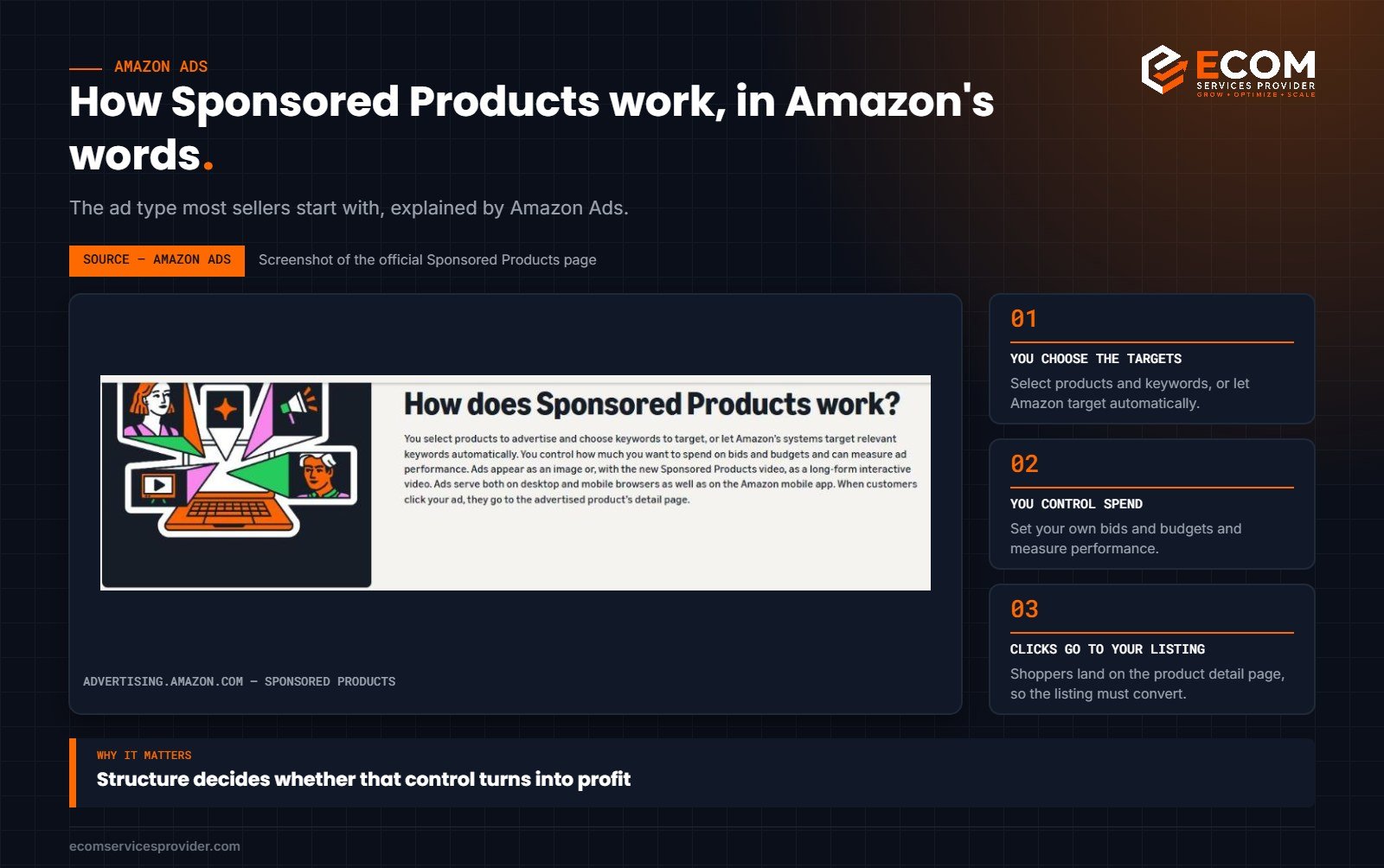
- Sponsored Products. Ads for individual products that appear in search results and on product pages. They’re the starting point for most sellers and usually drive the majority of ad sales.
- Sponsored Brands. Ads featuring your brand logo, a custom headline and several products, or a video. They appear in prominent placements such as the top of search results. Brand Registry is required.
- Sponsored Display. Ads that can reach shoppers on and off Amazon based on products they’ve viewed or interests. Useful for retargeting and defending your own listings.
If you’re just starting, focus on Sponsored Products first. Once you understand which keywords convert, expand into Sponsored Brands and Display.
How we do it at ECOM Services Provider: every account we manage starts with this same three-campaign structure per product: discovery, research and performance. Our founder is Amazon Ads Foundations Certified, and we review search term reports weekly to move proven keywords into exact match and cut wasted spend.
Why Structure Matters
Amazon reports performance at campaign, ad group and target level. If you mix unrelated products, different match types and different goals in one campaign, you lose the ability to set budgets and bids that fit each situation. A clean structure lets you:
- Set separate budgets for testing and for proven keywords
- Adjust bids for high-converting terms without affecting everything else
- See which products and keywords are profitable at a glance
- Move winning search terms from discovery into tightly controlled campaigns
A Simple Starter Structure
For each product (or small group of closely related variations), we recommend starting with three Sponsored Products campaigns.
Campaign 1: Auto campaign (discovery)
In an automatic campaign, Amazon chooses where to show your ad based on your listing content. It’s a useful discovery tool because it surfaces search terms and products you may not have thought of. Auto campaigns use four targeting groups:
- Close match: searches closely related to your product
- Loose match: searches loosely related to your product
- Substitutes: shoppers viewing similar products
- Complements: shoppers viewing products that go with yours
You can set different bids for each group, which helps you lean into the ones that perform best.
Campaign 2: Manual broad or phrase campaign (research and reach)
Add your researched keywords using broad and phrase match. These match types catch variations of your keywords and help you discover more converting search terms, with more control than an auto campaign.
Campaign 3: Manual exact campaign (performance)
This is where your proven keywords live. Exact match targets a specific search term (and close variants), so you can set precise bids for terms you know convert. Over time, this campaign should become your most efficient source of sales.
Many sellers also add a product targeting campaign that shows ads on specific competitor or complementary product pages, or on their own listings to defend against competitors.
Name Your Campaigns Consistently
A naming convention sounds minor, but it saves hours once your account grows. When every campaign name follows the same pattern, you can filter, sort and compare at a glance in Campaign Manager and in downloaded reports. A simple format is:
Ad type | Product or SKU | Targeting | Match type | Goal
For example: SP | Water Bottle 1L | Manual | Exact | Performance or SP | Water Bottle 1L | Auto | Discovery. Keep ad groups inside each campaign tightly themed, ideally one product or variation family per ad group, so the search term data you collect is easy to act on. If a campaign name doesn’t tell you what it does, it’s probably doing too many things at once.
Understanding Match Types
Match types control how closely a shopper’s search must match your keyword:
- Broad: the widest reach. Your ad can show for searches containing your keyword terms in any order, plus related terms.
- Phrase: your ad shows when the search contains your keyword phrase in the same order, possibly with extra words before or after.
- Exact: the tightest control. Your ad shows for searches that match the keyword exactly, or close variations such as plurals.
Use broad and phrase to discover, and exact to scale what works.
The Harvest-and-Negate Workflow
A good structure supports a simple weekly routine:
- Review the search term report from your auto and broad/phrase campaigns.
- Harvest winners. Add search terms that have generated sales at an acceptable cost to your exact match campaign.
- Negate them where they came from. Add the same terms as negative exact keywords in the discovery campaigns. This stops your campaigns competing with each other and keeps the data clean.
- Negate wasters. Add irrelevant or consistently non-converting search terms as negative keywords so you stop paying for them.
Repeat this regularly, and your account gradually shifts spend towards keywords that convert.
Bidding and Budget Basics
Choose a bidding strategy
Amazon offers three bidding strategies for Sponsored Products:
- Dynamic bids – down only: Amazon may lower your bid when a click is less likely to convert. A cautious starting point.
- Dynamic bids – up and down: Amazon may raise or lower bids based on conversion likelihood. Can increase sales, but also spend.
- Fixed bids: Amazon uses your exact bid. Gives the most control.
Set budgets by purpose
Give your exact match campaign enough budget to run all day, since it holds your best keywords. Keep discovery campaigns on more modest budgets so testing doesn’t drain spend.
Know your key metrics
ACoS (Advertising Cost of Sales) is your ad spend divided by ad sales. ROAS (Return on Ad Spend) is the inverse: ad sales divided by ad spend. Work out your break-even ACoS from your profit margin, so you know what’s sustainable for each product. Launch campaigns often run at a higher ACoS while you build sales history, and mature campaigns should move towards your target.
Don’t Forget the Listing
Advertising sends traffic to your product page, but the listing has to convert it. If your ads get clicks but few sales, review the title, images, price and reviews before raising bids. Our Amazon listing optimization service helps make sure paid traffic lands on a page built to convert.
For Amazon’s own guides, visit Amazon Ads.
Frequently Asked Questions
How much should I spend on Amazon PPC to start?
There’s no fixed figure. It depends on your category, competition and margins. Start with a daily budget you’re comfortable testing with, review results weekly, and increase spend on campaigns that are meeting your target ACoS.
Should I run auto or manual campaigns?
Both. Auto campaigns are great for discovering search terms, while manual campaigns give you control over bids for proven keywords. Most well-run accounts use them together.
How long before I see results from Amazon PPC?
You’ll see clicks and spend immediately, but give new campaigns at least two weeks of data before making major changes, so your decisions are based on meaningful numbers.
Do I need Brand Registry for Amazon ads?
Not for Sponsored Products. You do need Brand Registry for Sponsored Brands and some other brand-focused features.
Want an Expert to Manage Your Ads?
Our founder is Amazon Ads Foundations Certified, and our team has 8+ years of Amazon experience across 768+ projects. Our Amazon PPC management service covers campaign structure, keyword harvesting, negatives and ongoing optimisation. Book a free consultation to discuss your account.