Your Amazon Brand Store can look polished and still underperform, and the only way to know is to measure it. Amazon Store Insights is the free reporting dashboard built into the Stores builder. It shows how many people visit your store, which pages they view, where they came from and what they buy afterwards.
This guide explains each Brand Store metric, how to read traffic sources, how to set up source tags for your own marketing, and how to turn the numbers into better store design decisions.
What Is Amazon Store Insights?
Every brand enrolled in Amazon Brand Registry can build a free, multi-page Brand Store on Amazon. Store Insights is the reporting layer attached to it. According to Amazon’s Stores help pages, you can open it from the Stores builder or from the main Stores page in your account.
The dashboard lets you choose a date range and break your results down in three ways:
- By date – how traffic and sales move from day to day
- By page – which store pages pull their weight
- By traffic source – where your visitors came from
Used together, these views tell you whether your store is a real sales channel or simply a page that exists.
The Brand Store Metrics That Matter
Amazon reports a long list of numbers. These are the ones worth checking every week, with Amazon’s own definitions summarised.
Traffic metrics
- Visitors: unique visitors to your store in the selected date range, counted daily by user or device.
- Visits: visitors who arrived from a traffic source or viewed a page within a single day.
- Views: the total number of page views.
- Views/Visitor: the average number of pages viewed per visitor, a useful sign of how engaging your layout is.
Sales metrics
- Sales: estimated sales from store visitors within 14 days of their last visit.
- Units sold and Orders: the products and orders behind those sales.
- Sales/Visit and Sales/Visitor: the average sales value per visit or per visitor, the clearest measure of how well the store converts.
Sales are shown against the date of the visit, not the date of the order. The most recent days will therefore keep filling in as later purchases arrive.
Direct and halo sales
Amazon splits store sales into two kinds. Direct sales are purchases of products shown on the page a shopper viewed. Halo sales are purchases of your other products that were not on that page. A strong halo figure suggests your store is working as a brand showroom, not just a product list.
Understanding Brand Store Traffic Sources
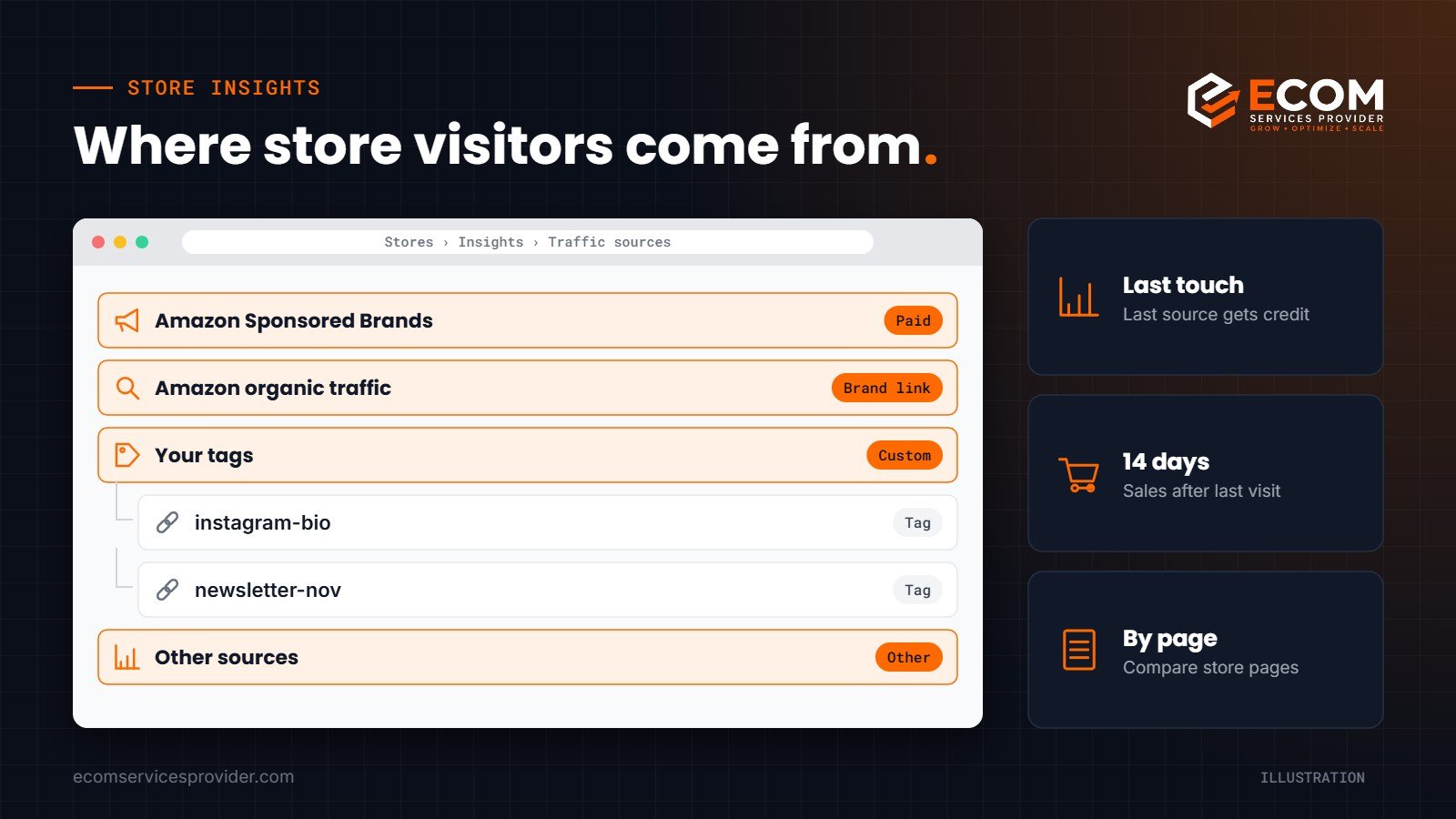
The traffic source view answers the question most brands ask first: where are my visitors coming from? Amazon groups Brand Store traffic into four sources:
- Amazon Sponsored Brands – clicks from your Sponsored Brands ads that land on the store.
- Amazon organic traffic – shoppers who clicked your brand link on a product detail page.
- Your tags – visitors who arrived through a link carrying one of your source tags.
- Other sources – everything Amazon cannot place in the groups above.
Amazon uses a last-touch approach, so each sale is credited to the last traffic source before the purchase. If you run Sponsored Brands campaigns to your store, compare their Sales/Visit with organic traffic to see whether paid visits are as valuable as free ones.
How to Set Up Store Source Tags
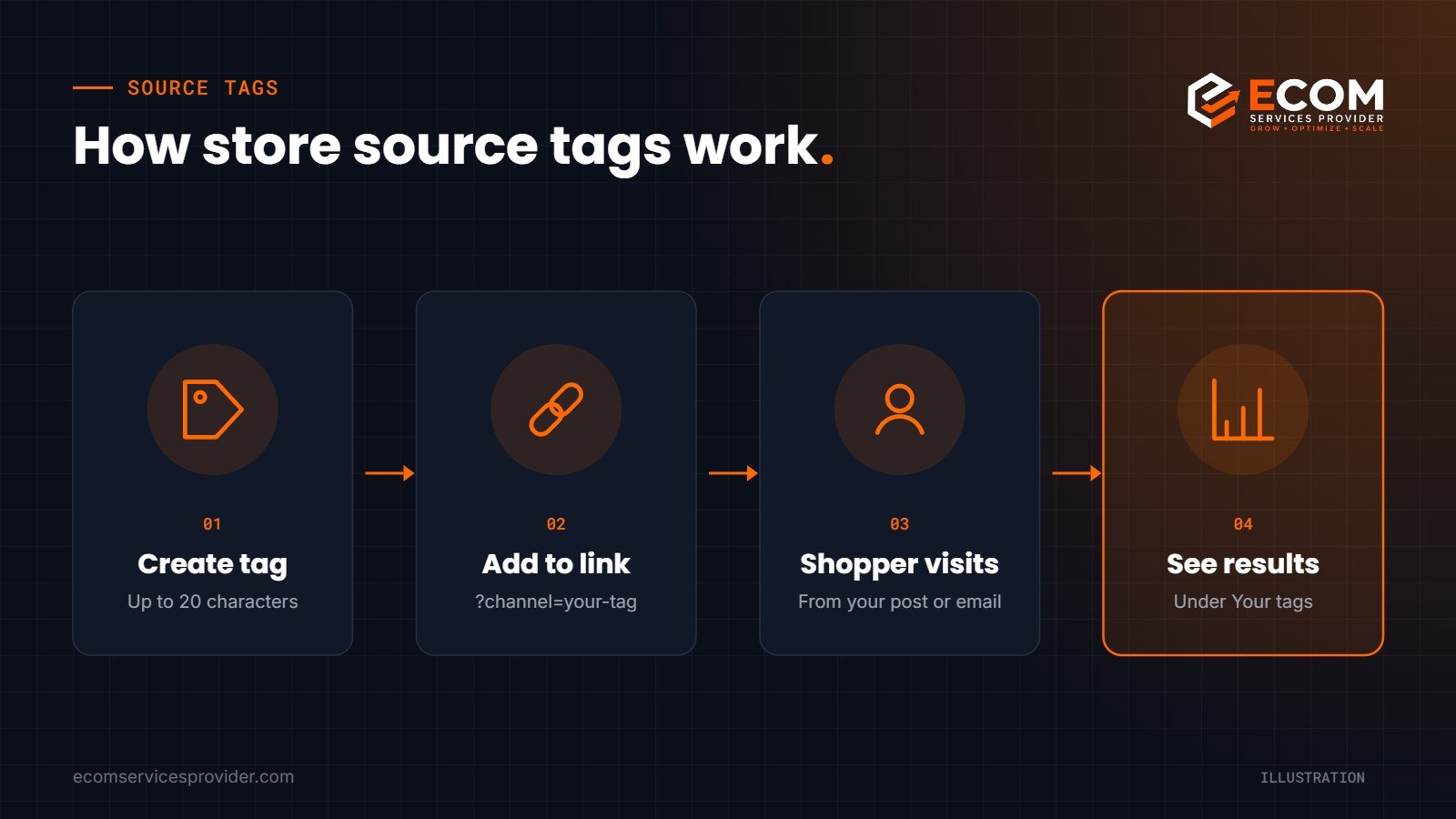
Store source tags show exactly how much traffic and how many sales your own marketing sends to the store, whether that is an email, an Instagram bio link, a QR code on packaging or a creator post. Amazon’s source tag guidance works like this:
- Open Store Insights and choose the option to create a source tag.
- Give it a clear name. Tag names can use letters, numbers, dashes, spaces and underscores, up to 20 characters.
- The tag is added to your store URL as a channel parameter, for example ending in ?channel=instagram-bio.
- Use that tagged link only in the place you are promoting.
- Check the Your tags source in the dashboard to see visits, views and sales for that tag.
Tags do not expire and there is no limit on how many you create, so make one for every placement you want to compare. The report breaks out your top 100 tags by visitors for the selected period.
Store tags or Amazon Attribution?
Store source tags measure visits to your Brand Store. If your external marketing sends shoppers straight to product pages, use Amazon Attribution as well. We explain how in our guide to tracking social media traffic to Amazon.
Using Store Data to Improve Your Store Design
Numbers only matter if they change what you do. Here is how to read the dashboard when reviewing a store’s layout:
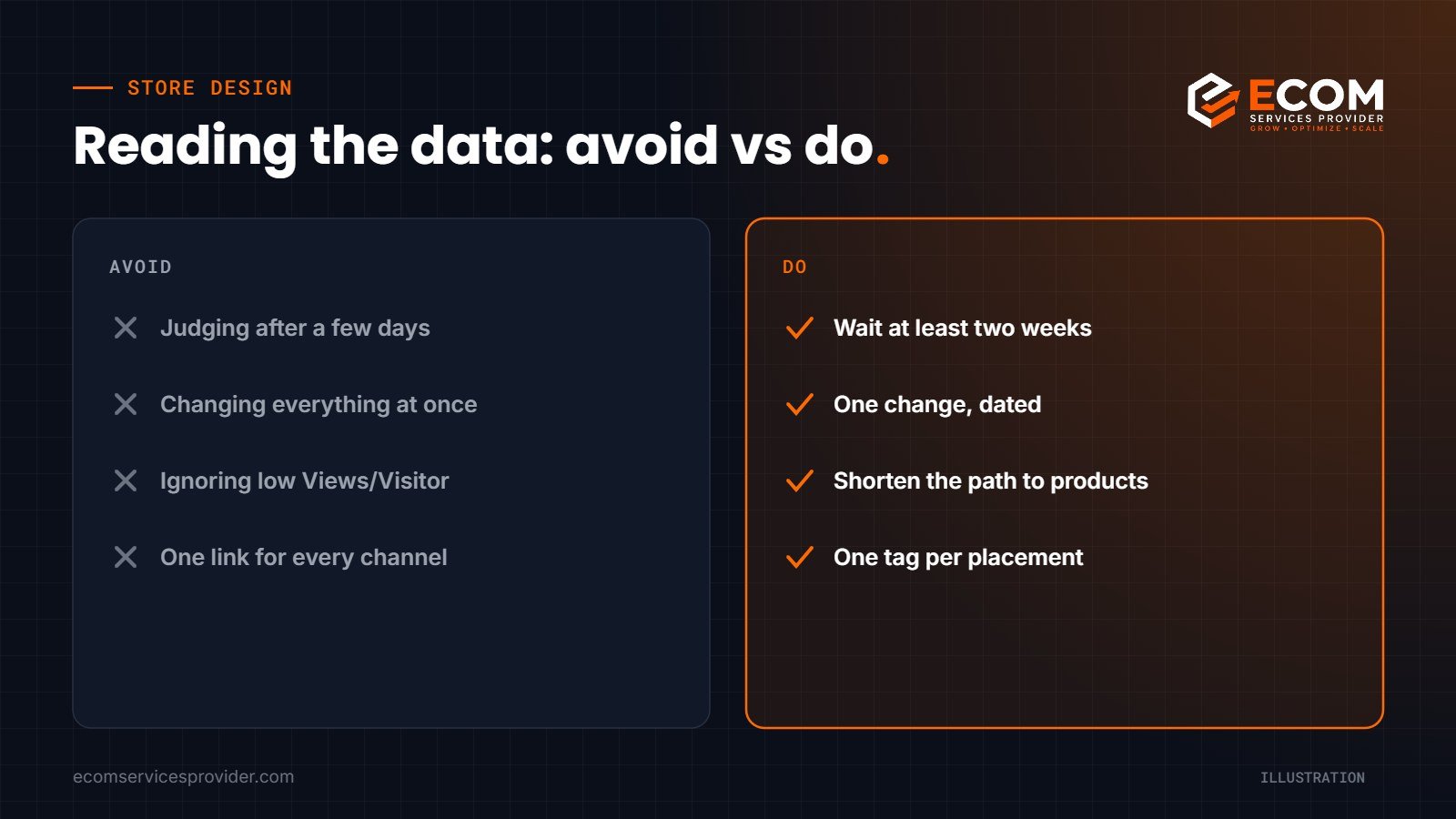
- High visitors, low Views/Visitor: shoppers land and leave. Your home page may be too long before the first product, or your navigation labels may be unclear.
- One page with nearly all the views: your other pages are hard to find or not appealing enough. Check your menu order and the images on your category tiles.
- Good traffic, weak Sales/Visit: the store attracts interest but does not convert. Put best sellers near the top and make sure every product tile links to a live, in-stock product.
- Strong halo sales: shoppers are exploring your range. Give them more cross-selling sections, such as bundles or “complete the set” pages.
Make one change at a time, note the date, and compare periods of the same length before and after. Because sales are counted over 14 days, wait at least two weeks before judging a change.
How We Do It at ECOM Services Provider
When we design or refresh an Amazon Brand Store, the data is part of the brief from day one. Before changing anything, we review the existing pages by visitors, Views/Visitor and Sales/Visit to see which sections earn attention. We then plan the page structure around the products and categories that convert, set up source tags for every external channel the brand uses, and agree a review date. After launch we check the dashboard regularly, compare pages and sources, and adjust tiles, page order and navigation based on what the numbers show rather than guesswork.
Frequently Asked Questions
Where do I find Amazon Store Insights?
You can open it from the Stores builder or from the main Stores page in your account once your brand has a published Brand Store.
Is Amazon Store Insights free?
Yes. Brand Stores are free to create for brands enrolled in Amazon Brand Registry, and the insights dashboard comes with the store.
How long does Amazon attribute sales to a store visit?
Amazon reports estimated sales and units bought by store visitors within 14 days of their last visit to your store.
Can I track Instagram or email traffic to my Brand Store?
Yes. Create a store source tag for each channel and use the tagged link. Visits and sales from that link then appear under Your tags.
Ready to Build a Brand Store That Performs?
ECOM Services Provider has 8+ years of eCommerce experience and has completed 768+ projects for brands worldwide. Our Amazon storefront design team builds stores around what Amazon Store Insights reveals, our Amazon Brand Registry support gets your brand eligible, and our Amazon PPC management service sends qualified Sponsored Brands traffic to your store. Book a free consultation to talk through your store.