Most product research tools estimate Amazon demand from the outside. Amazon Product Opportunity Explorer gives you Amazon’s own view: real search and purchase data, grouped around what customers are actually trying to buy. It is free for sellers, built into Seller Central, and one of the most useful starting points for deciding what to launch next.
This guide explains how the tool organises demand into niches, which metrics matter most, and how to use it step by step to validate a product idea before you spend money on stock.
What Is Amazon Product Opportunity Explorer?
Product Opportunity Explorer is a free tool in Seller Central, found under the Growth menu. According to Amazon’s overview of the tool, it analyses customer searches, purchases, reviews and pricing to help sellers find unmet customer demand and less competitive opportunities.
Unlike most third-party research tools, it does not start with individual products. It starts with customer needs, which Amazon calls niches. That makes it particularly good for spotting gaps: groups of searches where customers are looking for something and the current products do not fully satisfy them.
How Niches Work
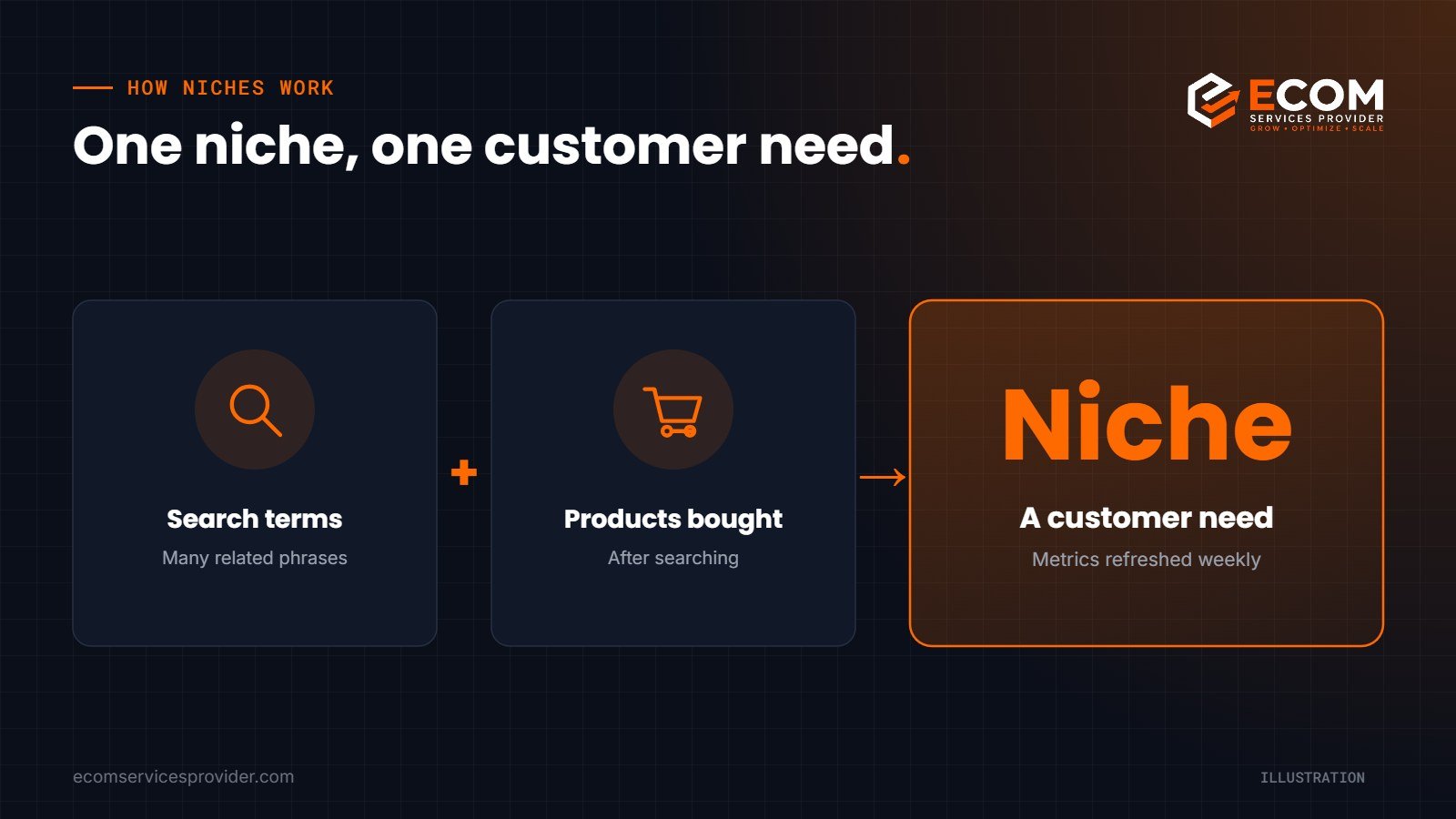
A niche represents a specific customer need, such as a particular type of storage container or a style of kitchen utensil. Amazon builds niches by grouping search terms based on the products customers view and buy after searching, so one niche can include many different phrases.
You can find niches in three ways:
- Search by keyword, such as a product type or use
- Search by ASIN, to see the niches and search terms connected to a product
- Browse by category or view niches recommended for you
Amazon’s launch blog for the tool explains that niche metrics are refreshed weekly and new niches are added regularly. That means the data reflects current demand, not last year’s trends.
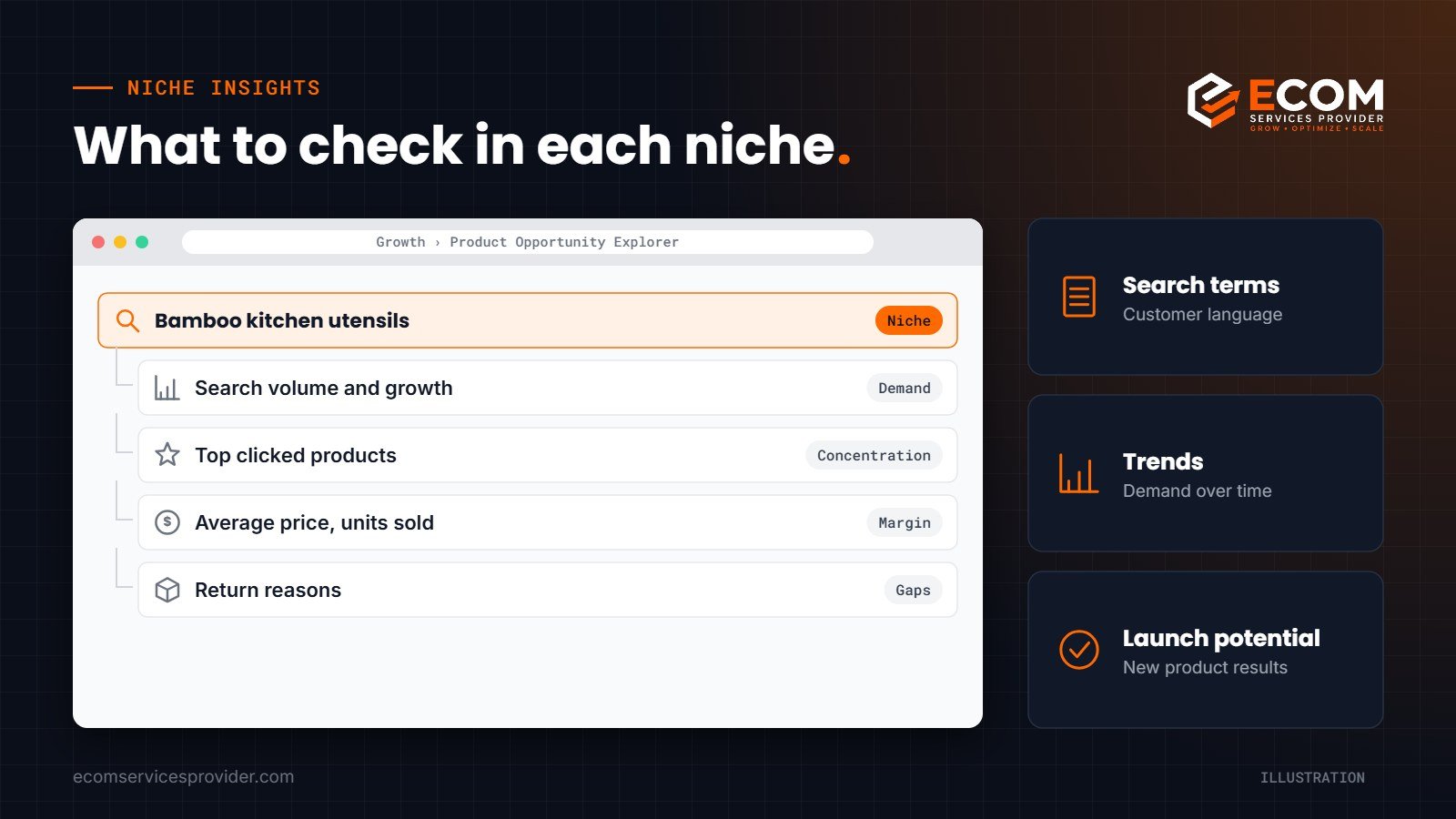
Key Metrics to Check in Each Niche
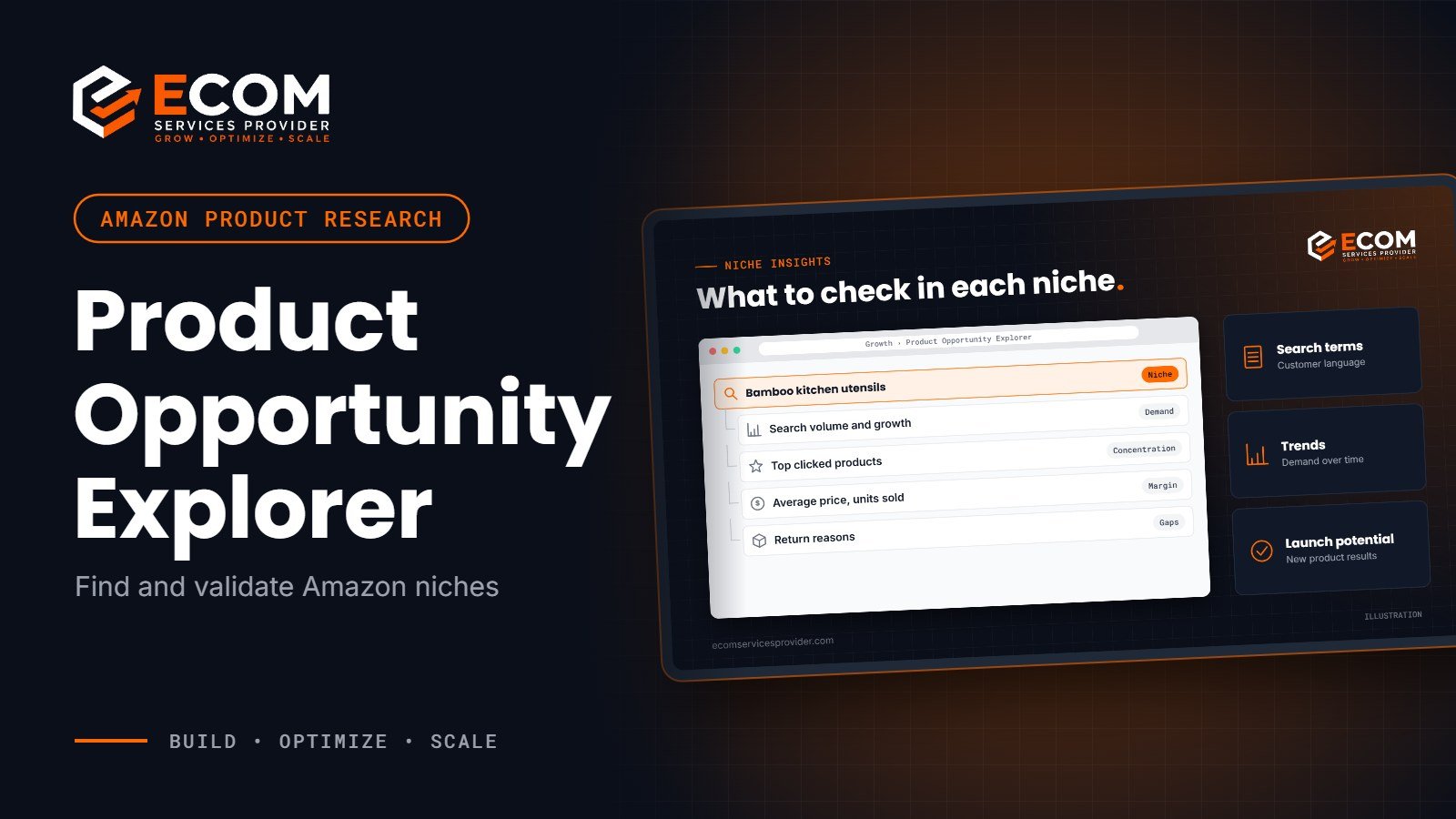
Each niche has several tabs, including Products, Search Terms, Insights and Trends. These are the figures we find most useful for Amazon niche research.
Search volume and growth
Search volume shows how many times customers searched for terms in the niche, and the growth figure shows how that has changed over time. Steady or rising demand is a better sign than a short spike.
Top clicked products
This shows how concentrated customer attention is. If a small number of products take most of the clicks, breaking in will be harder. If clicks are spread across many products, there may be room for a well-positioned newcomer.
Price and units sold
The average price and units sold help you judge whether the niche can support your costs and margins. Compare them with your expected landed cost and fees before going further.
Competition signals
The Insights tab includes the number of products and reviews, average rating, the share of products using Prime and Sponsored Products, and the average out-of-stock rate. Together, these show how mature and competitive the niche is.
Launch potential and returns
Amazon also shows launch potential, based on how new products have performed in the niche, and return insights that show why customers send products back. Return reasons are especially valuable: they tell you exactly what existing products get wrong.
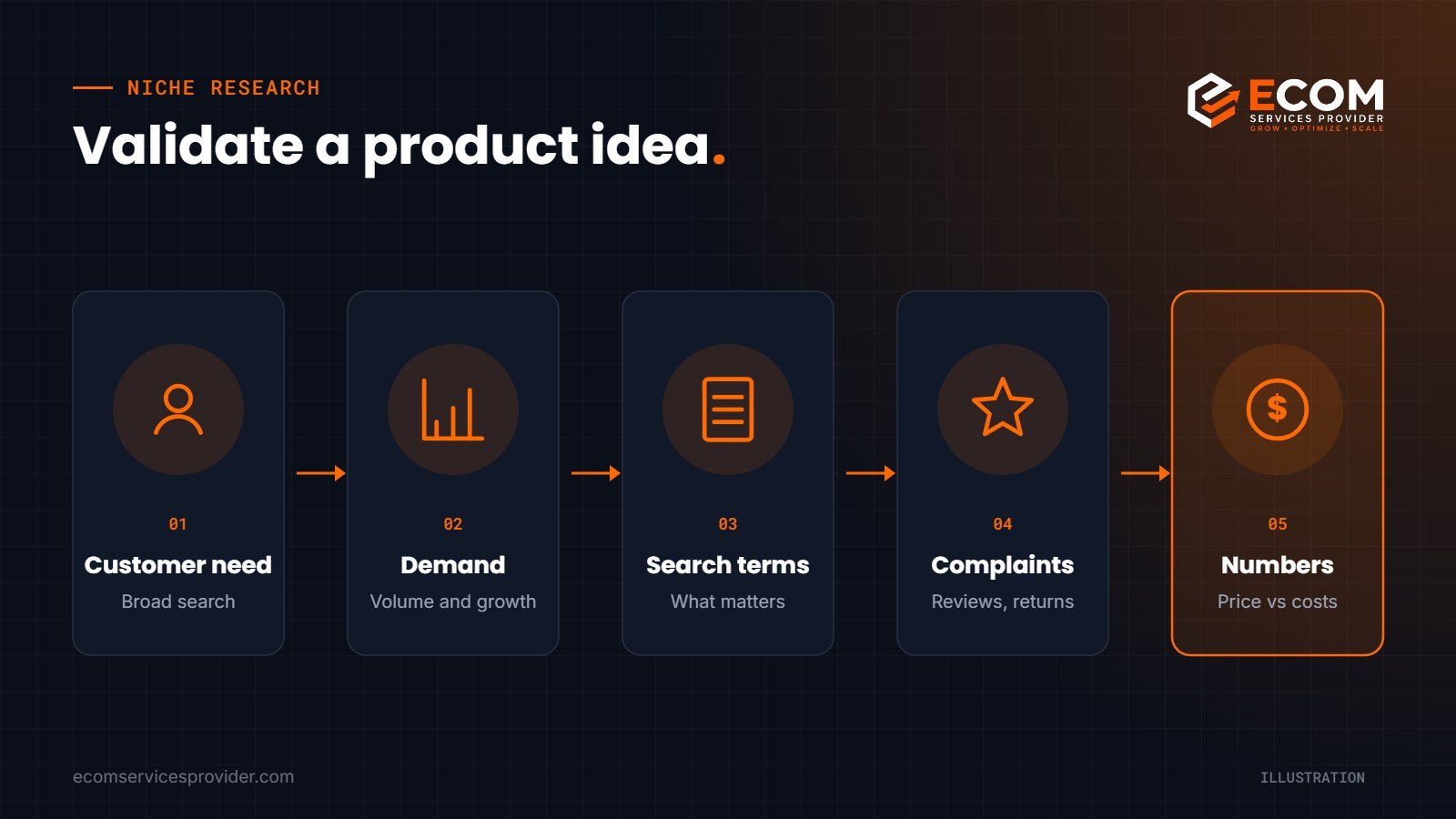
How to Use Product Opportunity Explorer Step by Step
A simple, repeatable process gives you better results than browsing at random.
1. Start with a customer need
Search for a broad product type or use case rather than a single keyword. Review the list of niches and shortlist the ones with healthy search volume and growth.
2. Check demand and concentration
Open each shortlisted niche. Look at search volume trends and how clicks are spread across the top products. Remove niches where demand is falling or one or two products dominate.
3. Read the search terms
The Search Terms tab shows the phrases customers use and how they convert. This tells you what features matter and gives you early keyword ideas for your listing.
4. Study complaints and returns
Read the review and return insights to find recurring problems. A product that fixes a common complaint has a clear reason to exist.
5. Validate the numbers
Check average price, units sold and competition against your costs. Only move forward if the niche can support a profitable product.
6. Plan how you will stand out
Before you commit, write down in one sentence why a customer would choose your product over the current top results. It might be a better material, a fix for a common complaint, a more useful bundle or clearer sizing. If you cannot answer that question from the data, keep researching.
Recent Updates to the Tool
Amazon has added several features recently. In September 2025, it announced AI-powered updates that highlight which product features matter to customers, where demand is trending and what customers expect to pay.
During 2026, Amazon added the ability to save and track niches and ASINs, and a pre-launch option that lets sellers test their own product idea and price against customer purchase signals. Features can vary by marketplace, so check what is available in your Seller Central account.
Limits to Keep in Mind
Product Opportunity Explorer is powerful, but it is not the whole picture:
- It shows Amazon demand only, not demand on other channels
- It does not show your sourcing costs, fees or profit
- It cannot judge product quality, supplier reliability or patents
- Some figures are ranges or estimates rather than exact numbers
Use it to find and validate opportunities, then confirm them with supplier quotes, a fee calculation and a review of the competitors you would face. Our guide to Amazon competitor analysis covers that next step.
How We Do It at ECOM Services Provider
Our Amazon product research process starts in Product Opportunity Explorer. We search around the brand’s existing range and target customers, shortlist niches with steady demand and spread-out clicks, and export the key metrics into a simple comparison sheet.
We then read the search terms, reviews and return reasons for each niche to understand what customers want and what current products miss. Finally, we check pricing and competition against the brand’s costs and present a short list of opportunities with the reasons behind each one. Once a product is chosen, the same search term data feeds straight into keyword research for the listing.
Frequently Asked Questions
Is Amazon Product Opportunity Explorer free?
Yes. It is free to use for sellers with a Seller Central account. You will find it under the Growth menu.
What is a niche in Product Opportunity Explorer?
A niche is a group of search terms that represent the same customer need, based on the products customers view and buy after searching.
How often is the data updated?
Amazon says niche metrics are refreshed weekly, and new niches are added on a regular basis.
Can I search by ASIN?
Yes. Searching by ASIN shows the niches and search terms connected to that product, which is useful for studying competitors.
Find Your Next Product with Confidence
Amazon Product Opportunity Explorer turns Amazon’s own search and purchase data into clear, practical niche insights, helping you choose products based on evidence rather than guesswork. ECOM Services Provider has 8+ years of experience and 768+ completed projects, and our team can research, validate and then build your listing through our Amazon listing optimization service. Book a free consultation to discuss your next launch.