Most sellers spend hours on their titles and bullet points, then rush through the one field shoppers never see. That’s a missed opportunity. Amazon backend search terms give you a place to add relevant keywords that don’t fit naturally in your visible listing, helping your product appear for more searches without cluttering the detail page.
This guide explains how the field works, what the 249-byte limit really means, what you should and shouldn’t put in it, and a simple process to fill it properly.
What Are Amazon Backend Search Terms?
Backend search terms (often called backend keywords) are hidden keywords you add to a listing in Seller Central. They’re found under the Keywords section when you edit a product, in the “Search Terms” field. Amazon uses them to help match your product to shopper queries, but they don’t appear on the product page.
Think of the field as a supplement to your visible content. Your title, bullets and description should carry your main keywords. The backend field is for everything else that’s relevant: synonyms, alternative names, related terms and spelling variations.
Understanding the 249-Byte Limit
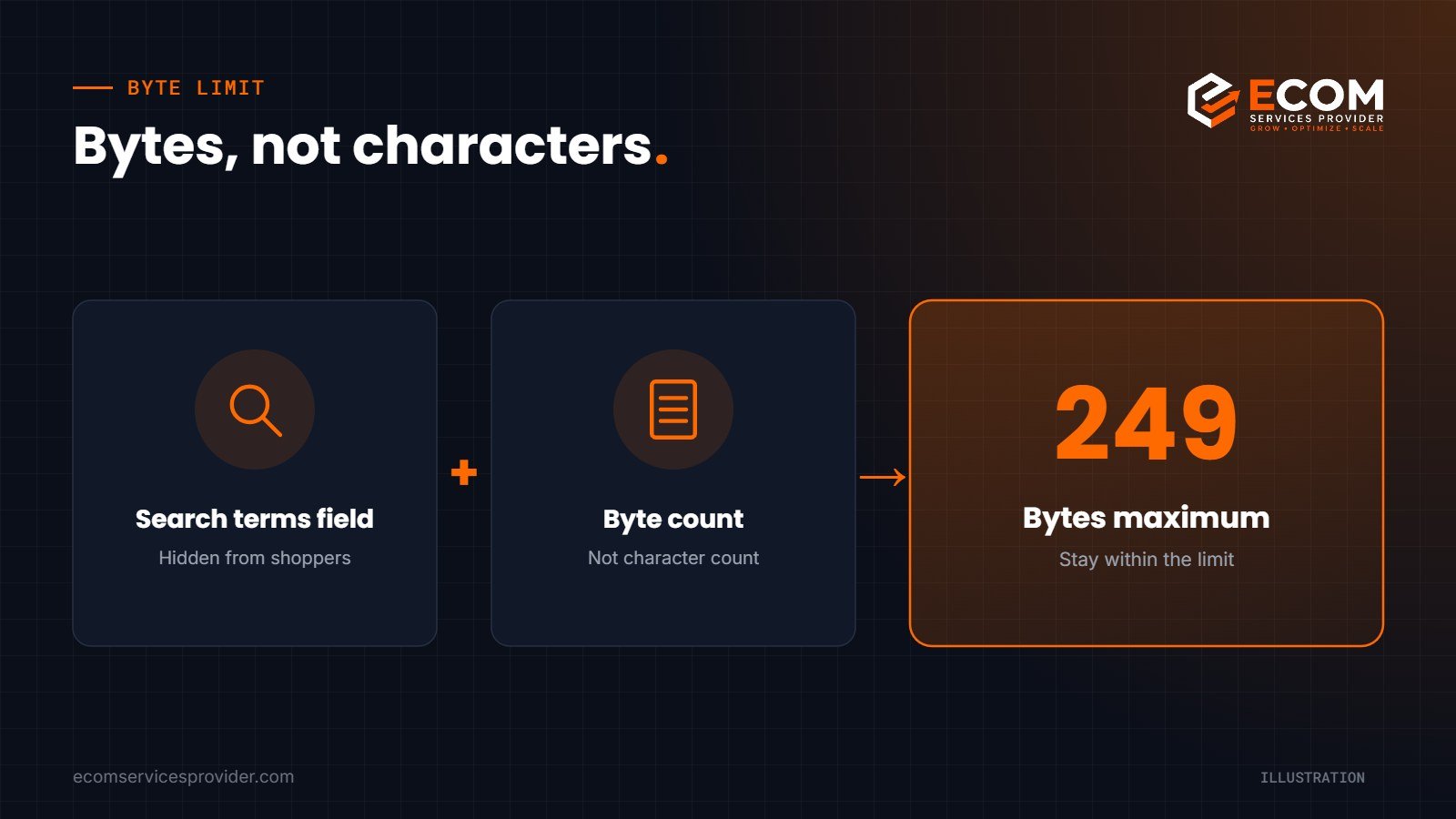
In the US marketplace, the search terms field is limited to 249 bytes. The word “bytes” matters. Standard letters and numbers use one byte each, so for plain English text the limit is close to 249 characters. However, some characters, such as accented letters, symbols or emojis, use more than one byte.
If you go over the limit, Amazon may not index the field at all. That means a few extra words could cost you every backend keyword on the listing. Always check the byte count before saving, especially if you sell in marketplaces where accented characters are common. Limits can vary by marketplace and category, so check the guidance shown in Seller Central for your listing.
What to Include
Synonyms and alternative names
Shoppers describe the same product in different ways. If you sell a “sofa”, some customers search for “couch” or “settee”. If your title says “water bottle”, someone else might type “drinks bottle” or “flask”. Add these alternatives to the backend.
Use cases and audiences
Include relevant terms that describe how or by whom the product is used, if they don’t already appear in your listing. For example, “gym”, “hiking”, “office” or “kids”, where accurate.
Spelling variations and common misspellings
Amazon handles many misspellings automatically, so you don’t need to cover every typo. But regional spellings (such as “colour” and “color”) and widely used alternatives can still be worth including when space allows.
Long-tail descriptors
Add specific attributes that help with narrower searches, such as material, shape, finish or style terms, as long as they genuinely describe the product.
What to Leave Out
Amazon’s guidance and good practice both point to the same exclusions:
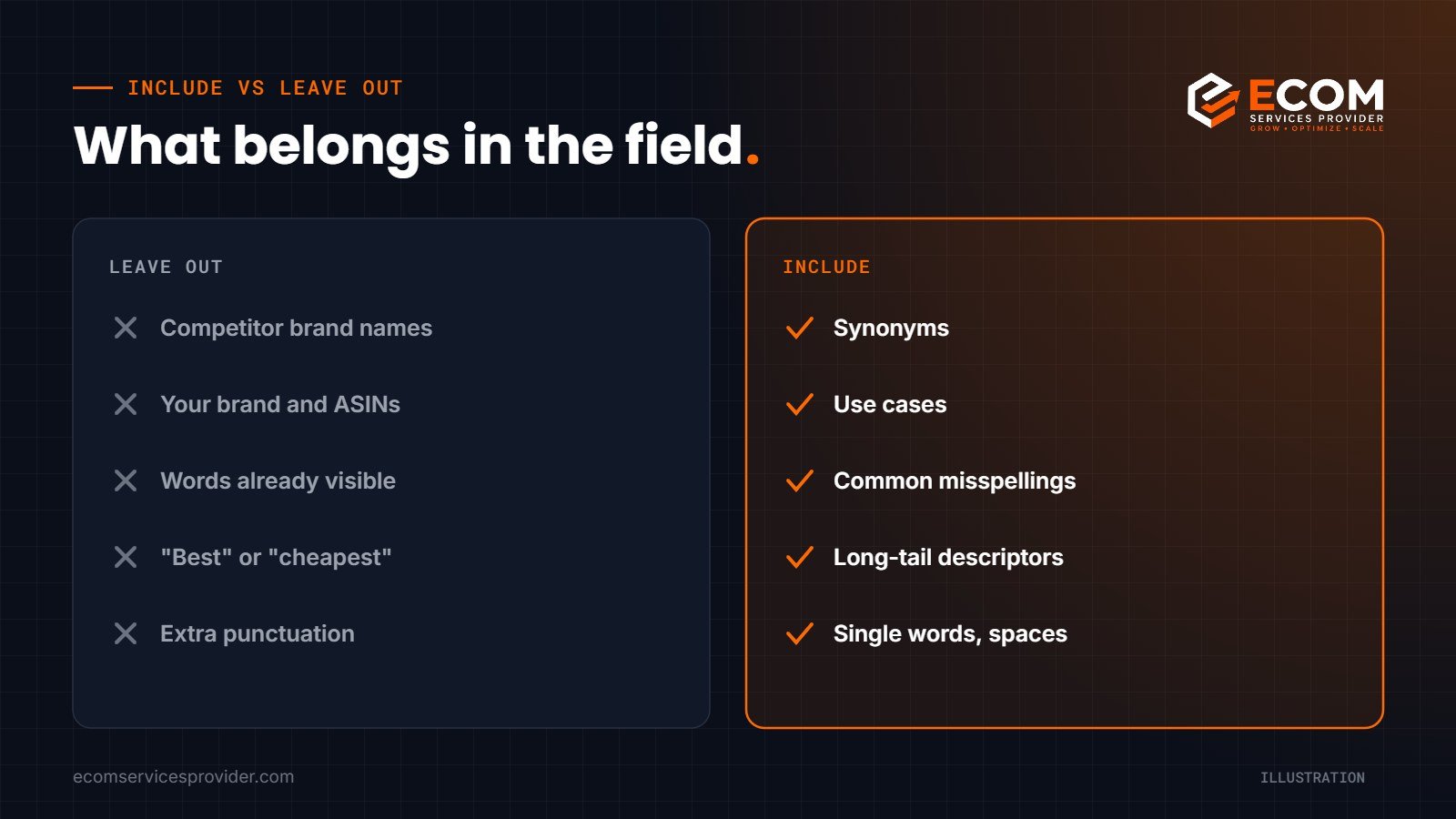
- Competitor brand names. Using other brands’ names in your search terms breaks Amazon’s rules and can put your listing at risk.
- Your own brand name and ASINs. Your brand is already indexed from the listing, and ASINs don’t help search matching.
- Words already in your title or bullets. Repetition doesn’t improve ranking and wastes bytes.
- Subjective or temporary claims. Words like “best”, “cheapest”, “new” or “on sale” add nothing useful.
- Offensive or irrelevant terms. Irrelevant keywords may attract the wrong traffic and lower conversion rates.
- Unnecessary punctuation. Commas, semicolons and quotation marks use bytes without adding value. Separate words with a single space.

How to Fill the Field: A Step-by-Step Method
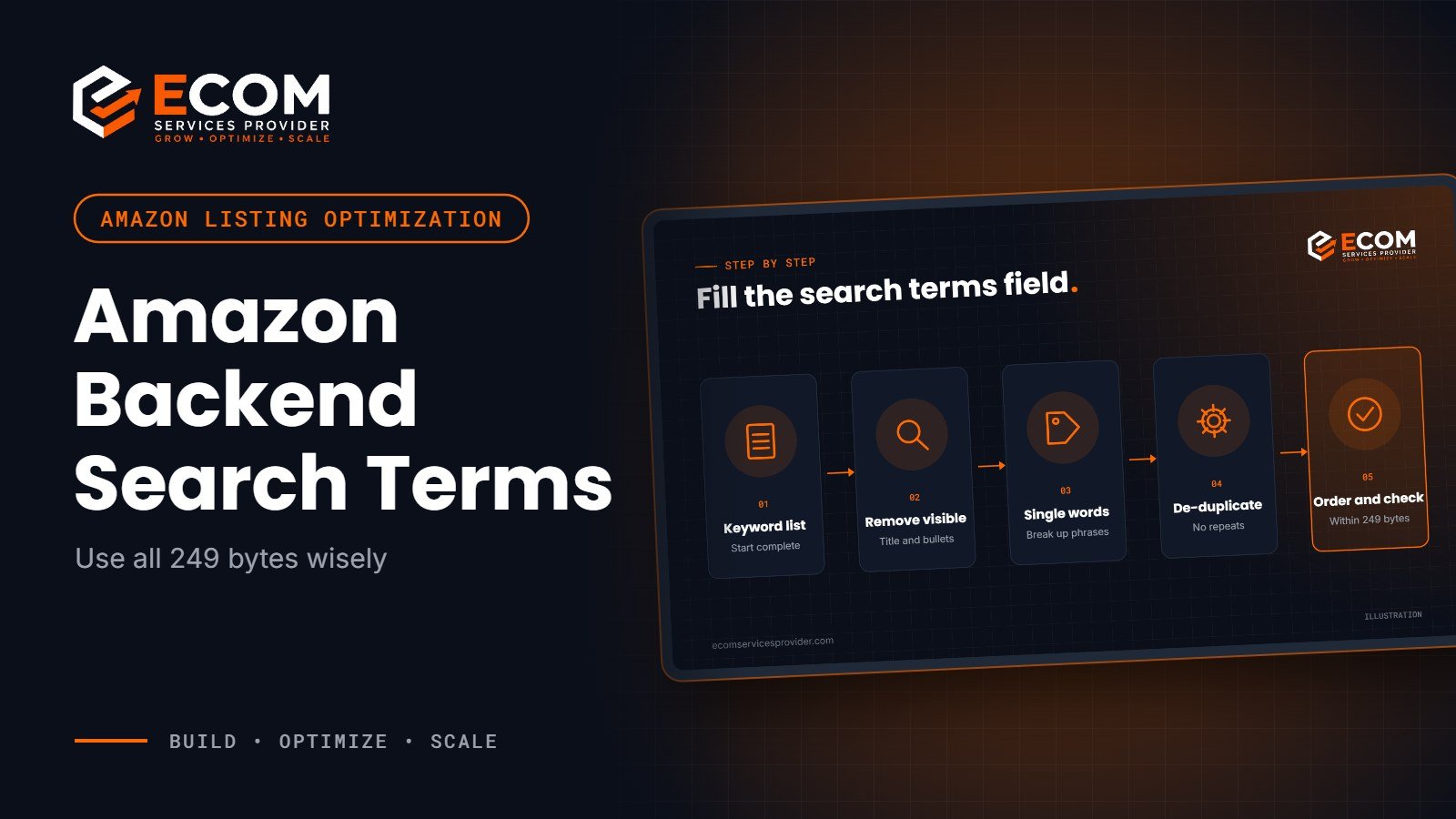
Step 1: Start from your full keyword list
Begin with the keyword research you used for the visible listing. If you haven’t done this yet, collect search terms from Amazon’s search suggestions, competitor listings, your advertising search term reports and a keyword tool. Our Amazon product research service includes this kind of keyword mapping.
Step 2: Remove what’s already visible
Cross out every word that already appears in your title, bullets or description. Amazon indexes those words already, so they don’t need to be repeated.
Step 3: Break phrases into single words
You don’t need to enter exact phrases. Amazon can combine words from across your listing to match search queries. So instead of writing “insulated water bottle for hiking”, which repeats words, list the individual words that aren’t elsewhere, such as “flask hiking trekking”.
Step 4: Remove duplicates and plurals where space is tight
Enter each word once. Amazon generally matches singular and plural forms, so you usually only need one version. If you have spare bytes, adding a plural form for an important term can do no harm.
Step 5: Order by relevance
Put the most relevant words first. While order isn’t a confirmed ranking factor, writing them in a logical sequence makes it easier to review and update later.
Step 6: Check the byte count and save
Paste your list into a byte counter and confirm it’s under the limit. Save the listing, then check back after a day to make sure the update went through without errors.
A Worked Example
Imagine you sell a stainless steel insulated water bottle. Your title already includes “insulated”, “stainless steel”, “water bottle”, “1 litre” and “leak proof”. Your bullets cover “cold”, “hot”, “BPA free” and “gym”.
Your backend field might then include words like: flask thermos drinks travel hiking camping cycling school office reusable vacuum metal sports hydration. Each word is relevant, none repeats the visible copy, and there’s no punctuation or brand name. That’s the kind of short, focused list that uses the field well.
How We Do It at ECOM Services Provider
When we optimise a listing, backend search terms are written last, not first. We build a keyword research sheet for the product, group the terms by intent and search relevance, and map the most important ones to the title and bullet points. Whatever is still relevant but unused, such as synonyms, regional spellings, use cases and audience terms, becomes the shortlist for the backend field.
We then strip out anything already visible, remove brand names and punctuation, and check the byte count before saving. After the update, we confirm in Seller Central that the change was accepted, and we revisit the field when new converting search terms appear in the client’s advertising reports. It is a small step, but done consistently it keeps every byte working.
How Backend Terms Fit Into Your Wider Strategy
Backend keywords help with relevance, but they can’t do all the work. Your product still needs a strong title, clear bullets, good images and a competitive offer to rank and convert. Use the backend field as one part of a complete listing. Our Amazon listing optimization checklist covers the other pieces.
If you run sponsored ads, review your search term report regularly. It shows real queries that led to sales, and some of those words may be worth adding to your backend field if they aren’t already in your listing.
For Amazon’s own guidance, see the Sell on Amazon learning resources and the search terms help pages in Seller Central.
Frequently Asked Questions
Do backend search terms still matter?
Yes. They remain a simple way to make your listing relevant for searches your visible copy doesn’t cover. They aren’t a substitute for a well-written listing, but they help fill gaps.
Should I use commas between backend keywords?
No. Use single spaces. Commas and other punctuation use up bytes without helping your product appear in search.
Can I include competitor brand names?
No. Including other brands’ names in your search terms isn’t allowed and could lead to your listing being suppressed or other enforcement.
How often should I update backend search terms?
Review them whenever you update your listing, launch a variation, or find new converting search terms in your advertising reports. A quarterly check is a sensible habit.
Want Your Keywords Handled for You?
ECOM Services Provider has 8+ years of Amazon and eCommerce experience and has completed 768+ projects for sellers in marketplaces worldwide. Our Amazon listing optimization service covers keyword research, visible copy and backend search terms together. Book a free consultation and we’ll talk through your listings.