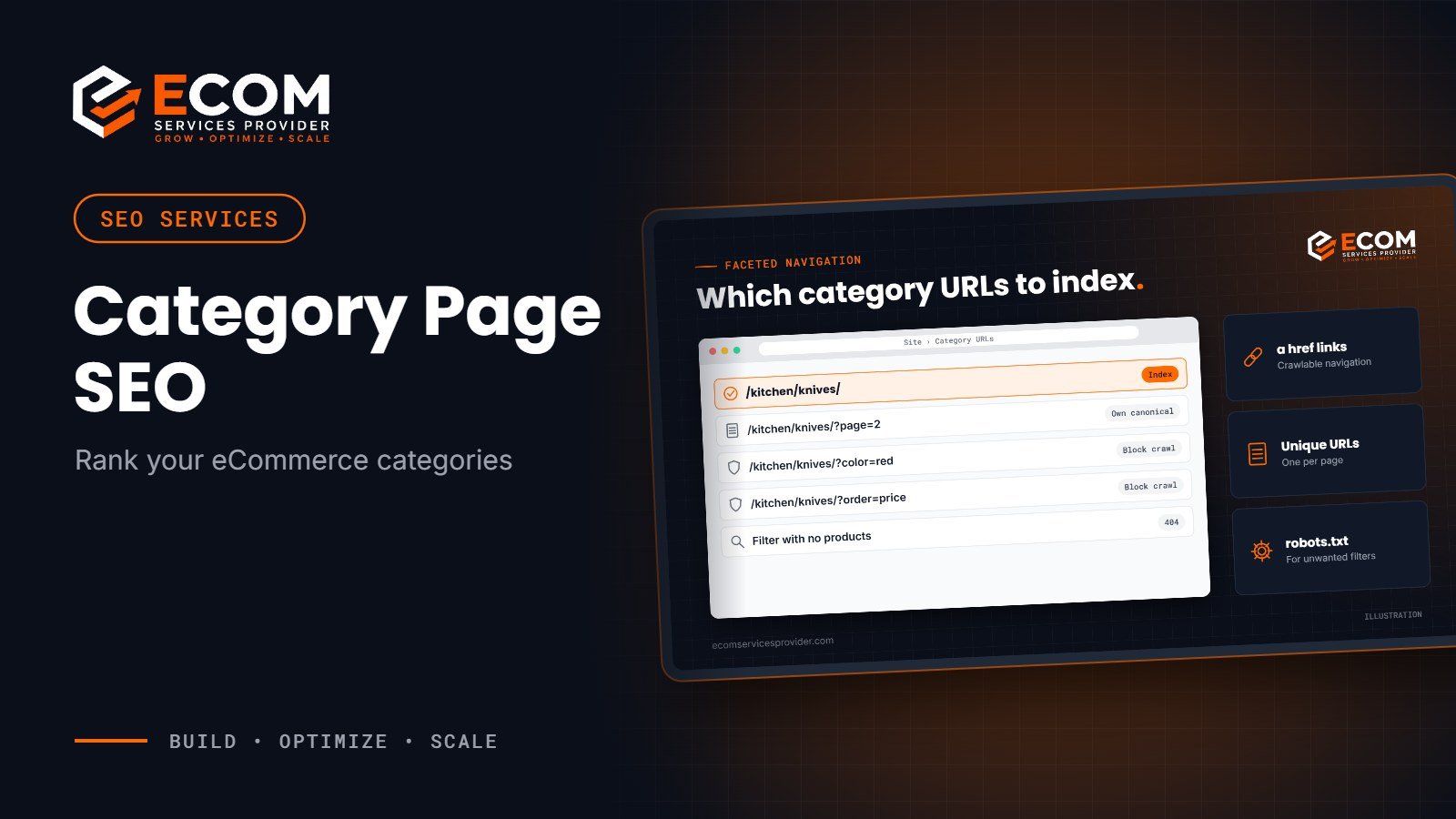
Most eCommerce SEO advice focuses on product pages, but category pages are often the ones that rank for the most valuable searches. A shopper typing “chef knives” or “women’s running shoes” wants a range to compare, not a single product. Good category page SEO puts your collection in front of them.
This guide covers how to structure, write and technically set up category pages so Google can crawl them, understand them and rank them, using Google’s own Search Central guidance.
Why Category Page SEO Matters
Category pages sit in the middle of your site structure. They link down to products and up to your home page, which makes them natural hubs for internal links and for broad, high-volume keywords.
They also match search intent well. Many shoppers start with a general search, then narrow down. A strong category page answers that first search, shows the range, and helps the visitor filter to the right product.
If you have already optimised your product pages, as we explained in our guide to eCommerce SEO for product pages, category pages are the next big opportunity.
Build a Clear Site Structure
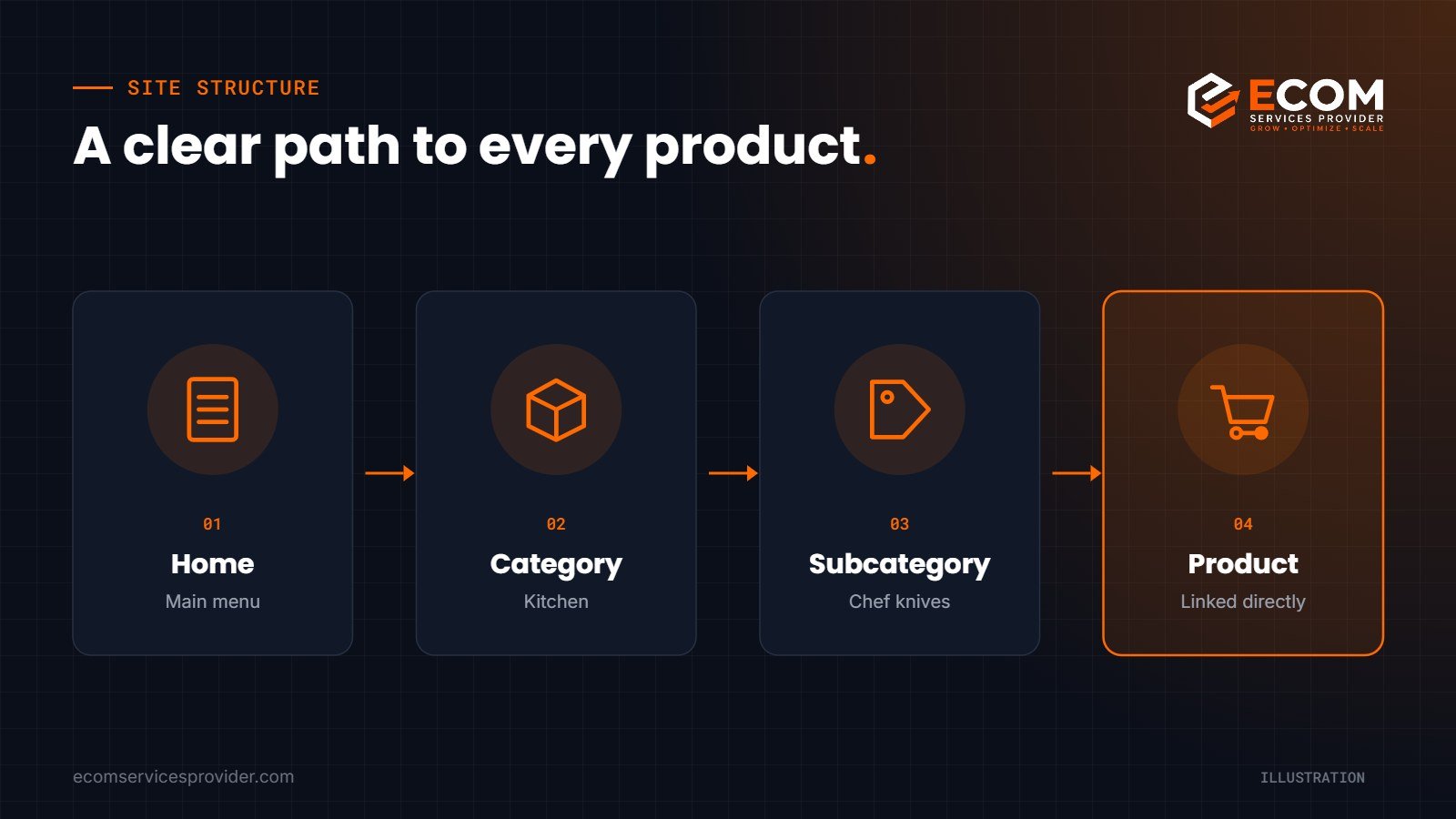
Google’s guidance on eCommerce site structure is simple: make every important page reachable through your navigation. Menus should link to categories, categories to subcategories, and subcategories to every product you want indexed.
A few rules follow from this:
- Use normal HTML links. Google can generally only follow links that are a tags with an href attribute. Navigation built purely on JavaScript click events may not be crawled.
- Link directly to products. Googlebot does not use your site search, so products that can only be found by searching may be missed.
- Let internal links show importance. Google infers which pages matter from how they are linked, not from how deep they sit in the URL.
Add breadcrumbs
Breadcrumbs such as Home › Kitchen › Knives help shoppers move back up a level and help search engines understand where a page sits. You can mark them up with BreadcrumbList structured data so Google may show the trail in search results.
Optimise Ecommerce Category Pages for Keywords
Each category page should target one main keyword theme, matched to the way shoppers search.
- Research the category term. Look for the phrase people use, not your internal name. “Chef knives” may beat “culinary blades”.
- Write a clear title tag and H1. Put the main keyword near the start and keep both natural.
- Add a short, useful introduction. Two or three sentences above the products explaining the range, who it suits and how to choose.
- Add buying help below the grid. A short guide, comparison tips or FAQs give Google more to understand and help undecided shoppers.
- Write descriptive internal links. Link related categories and buying guides with anchor text that says what the page is about.
Avoid stuffing keywords into long blocks of text. Content on ecommerce category pages should help shoppers choose, with the product grid staying the focus.
Handle Pagination Correctly
Large categories are split across several pages. Google’s pagination guidance sets out the essentials:
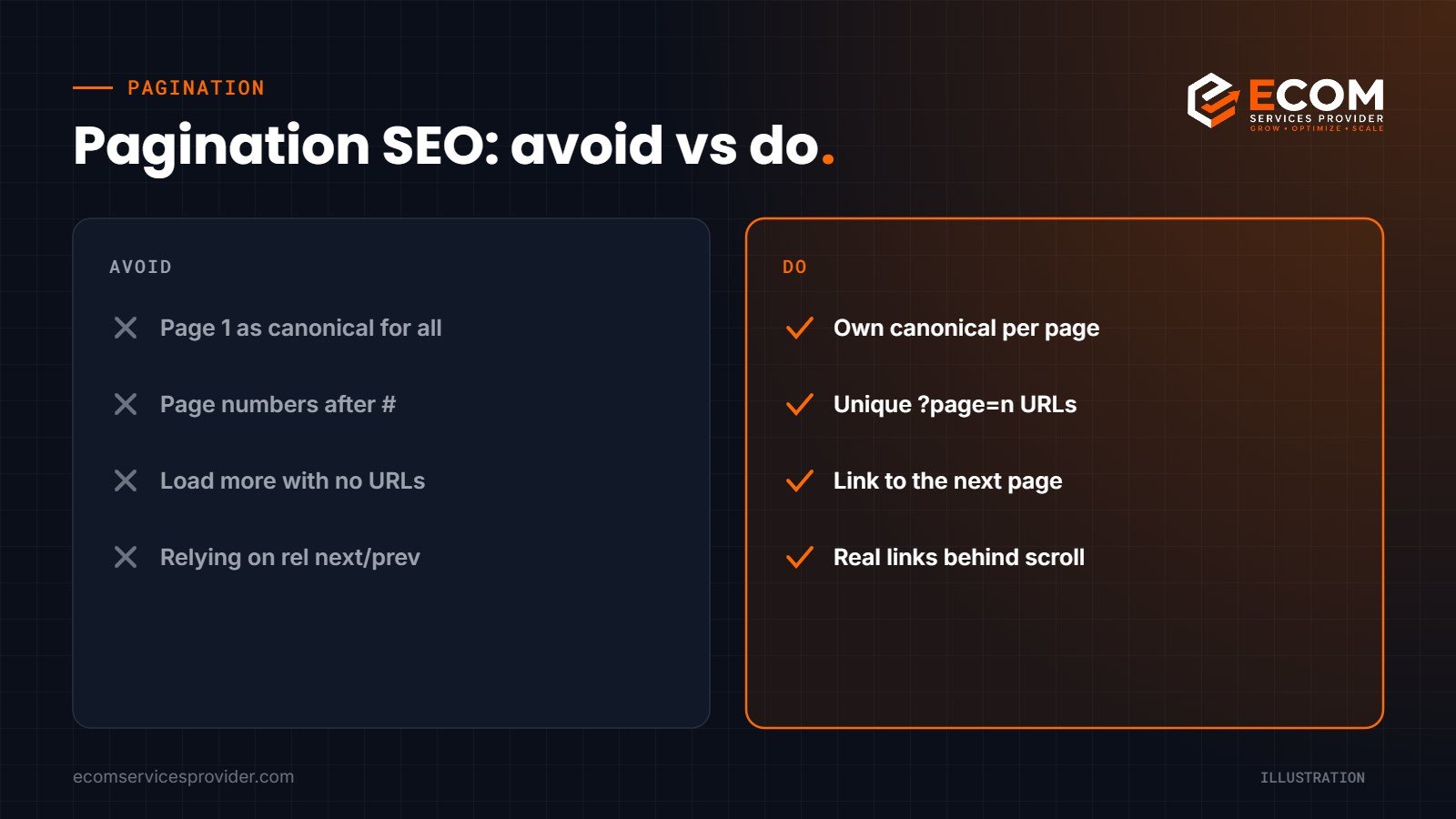
- Give each page its own URL, for example with a ?page=2 parameter.
- Link each page to the next one with normal links, so Google can find every product.
- Do not set page one as the canonical for the whole series. Each page should use its own canonical URL.
- Do not use URL fragments (the part after #) for page numbers, as Google ignores them.
Google also notes that it no longer uses rel=”next” and rel=”prev”, so they are not a substitute for real links. If you use a “load more” button or infinite scroll, make sure the underlying pages still exist as linkable URLs.
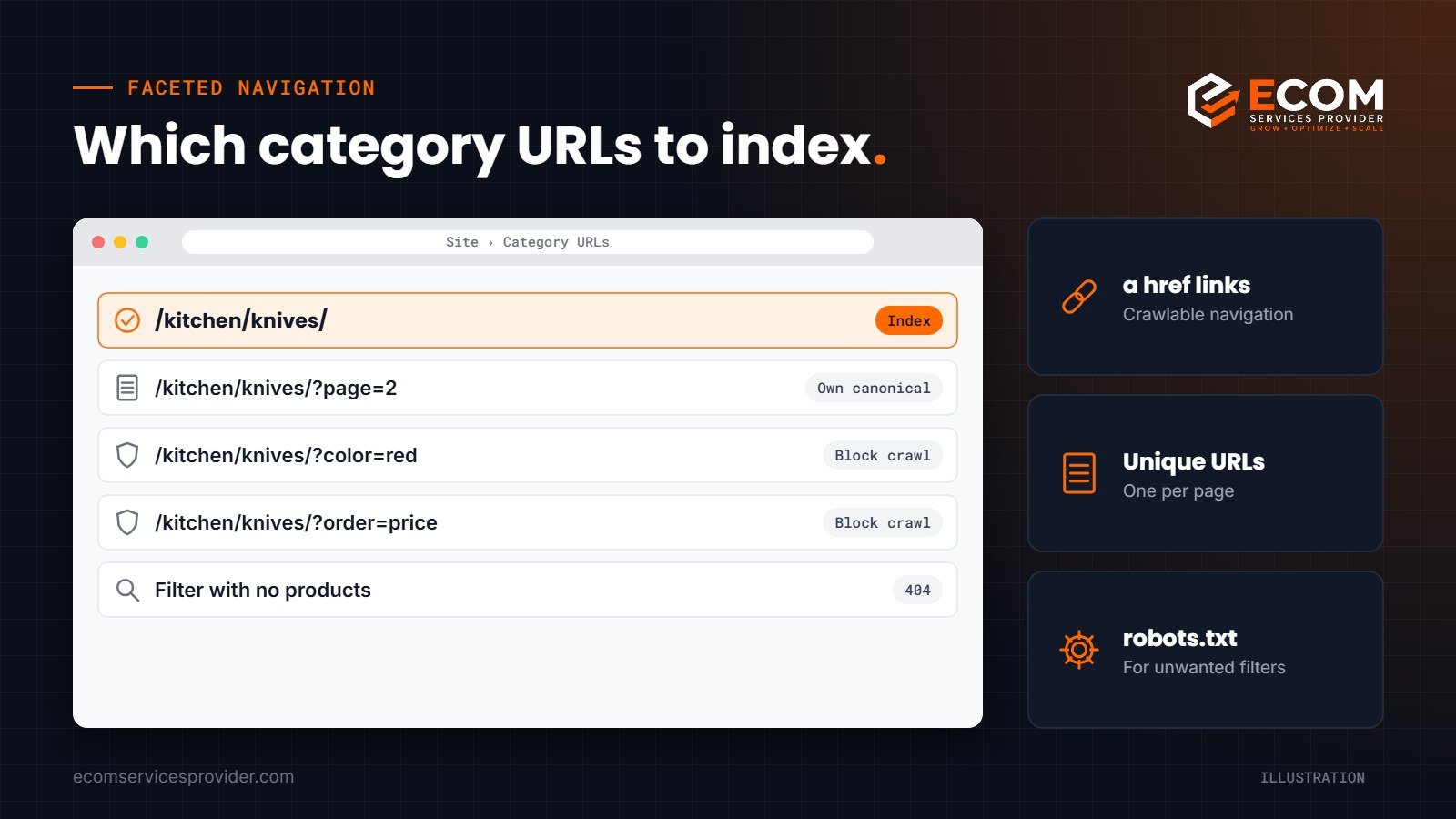
Control Faceted Navigation
Filters for size, colour, price and brand are great for shoppers but can create thousands of near-duplicate URLs. Google’s guidance on faceted navigation gives clear options:
- If you do not need filtered URLs in search, stop them being crawled, for example with robots.txt rules for the filter parameters.
- Keep an unfiltered listing page that can be crawled, so the main category always has a clean URL.
- If some filters deserve to rank, such as “red running shoes”, use standard parameter formats, keep the filter order consistent and give those pages proper content.
- Return a 404 status when a filter combination has no products, rather than showing an empty page.
Sorting options such as “price low to high” rarely need indexing. Keep them out of search so Google spends its time on pages that matter.
Common Category Page Mistakes
- Two categories targeting the same keyword. Pages compete with each other and neither ranks well. Merge them or give each a distinct focus.
- Thin or empty categories. A category with one or two products rarely deserves its own page. Combine small ranges until they grow.
- Canonicalising every page to page one. This is the most common pagination SEO error and can hide products on later pages from Google.
- Indexing every filter. Thousands of filtered URLs with the same products waste crawling and dilute your signals.
- Duplicate manufacturer text. Copying supplier descriptions into category introductions adds nothing unique. Write your own, even if it is short.
- Changing URLs without redirects. If you rename or restructure categories, redirect old URLs to the closest new page so rankings carry over.
Make Category Pages Fast and Easy to Use
Category pages carry many images, so speed needs attention. Compress product images, use modern formats, lazy-load images below the first screen and keep scripts lean. On mobile, keep filters easy to reach and product tiles large enough to tap.
Good category UX also supports SEO indirectly. Clear names, helpful filters and visible prices help shoppers find products quickly, which is exactly what search engines want to reward.
How We Do It at ECOM Services Provider
When we work on category page SEO, we start with an audit of the site structure and a crawl of every category, filter and pagination URL. We map keywords to categories so each page has one clear target, then rewrite titles, H1s, introductions and buying guides. Our developers fix crawlable links, canonicals, pagination and filter handling, add breadcrumb structured data, and improve page speed. Finally, we track rankings and organic traffic for each category in Google Search Console and refine content where pages are close to page one.
Frequently Asked Questions
Do category pages need text content for SEO?
A short introduction and some helpful buying advice usually help Google and shoppers understand the page. Keep it useful and concise rather than long and keyword-heavy.
Should paginated category pages be noindexed?
Not by default. Google recommends giving each paginated page its own URL and canonical so it can find all your products.
How do I stop filter pages hurting my SEO?
If you do not need filtered URLs in search, prevent them being crawled, keep one unfiltered category URL, and return a 404 for empty filter combinations.
What is the most important category page SEO fix?
Make sure every category and product is reachable through normal HTML links in your navigation. If Google cannot crawl a page, nothing else matters.
Ready to Grow Your Organic Sales?
ECOM Services Provider has 8+ years of eCommerce experience and has completed 768+ projects for brands worldwide. Our SEO services team handles category page SEO from structure to content, and our eCommerce website design team builds stores with clean, crawlable navigation from day one. Book a free consultation to talk through your store.