Most shoppers judge a product on the product alone. The Amazon Brand Story gives you space to show them the brand behind it: who you are, what you stand for and what else you make. It appears on your product detail pages under the heading “From the brand”, and because one Brand Story can be applied across your catalogue, it is one of the most efficient pieces of content a brand can create.
This guide explains what the Brand Story is, what you can put in it, how to create one and how to make it work harder for sales.
What Is the Amazon Brand Story?
The Brand Story is a type of A+ Content for brand owners. Amazon’s A+ Content design guide describes it as a dedicated section on the product detail page under the heading “From the brand”.
It is separate from your standard A+ Content, which appears in the product description area. Your A+ modules sell the specific product; the Brand Story sells the brand and helps shoppers discover the rest of your range.
Amazon’s A+ best-practice guidance highlights a few key features:
- A carousel display with a full-screen background on desktop and mobile
- Image and text cards that shoppers swipe or click through
- Space for your logo, pictures and answers to common questions about your brand
- Links to your other products and to your Amazon Brand Store
Who Can Create a Brand Story?
The Brand Story is available to Professional sellers and vendors who are approved brand owners through Amazon Brand Registry. You do not need any other A+ Content in place to create one.
Like Basic A+ Content, a Brand Story can be applied to multiple products in your catalogue. That means one well-made Brand Story can appear on every product page in your range, without repeating your other A+ modules.
What to Include in Your Brand Story Module
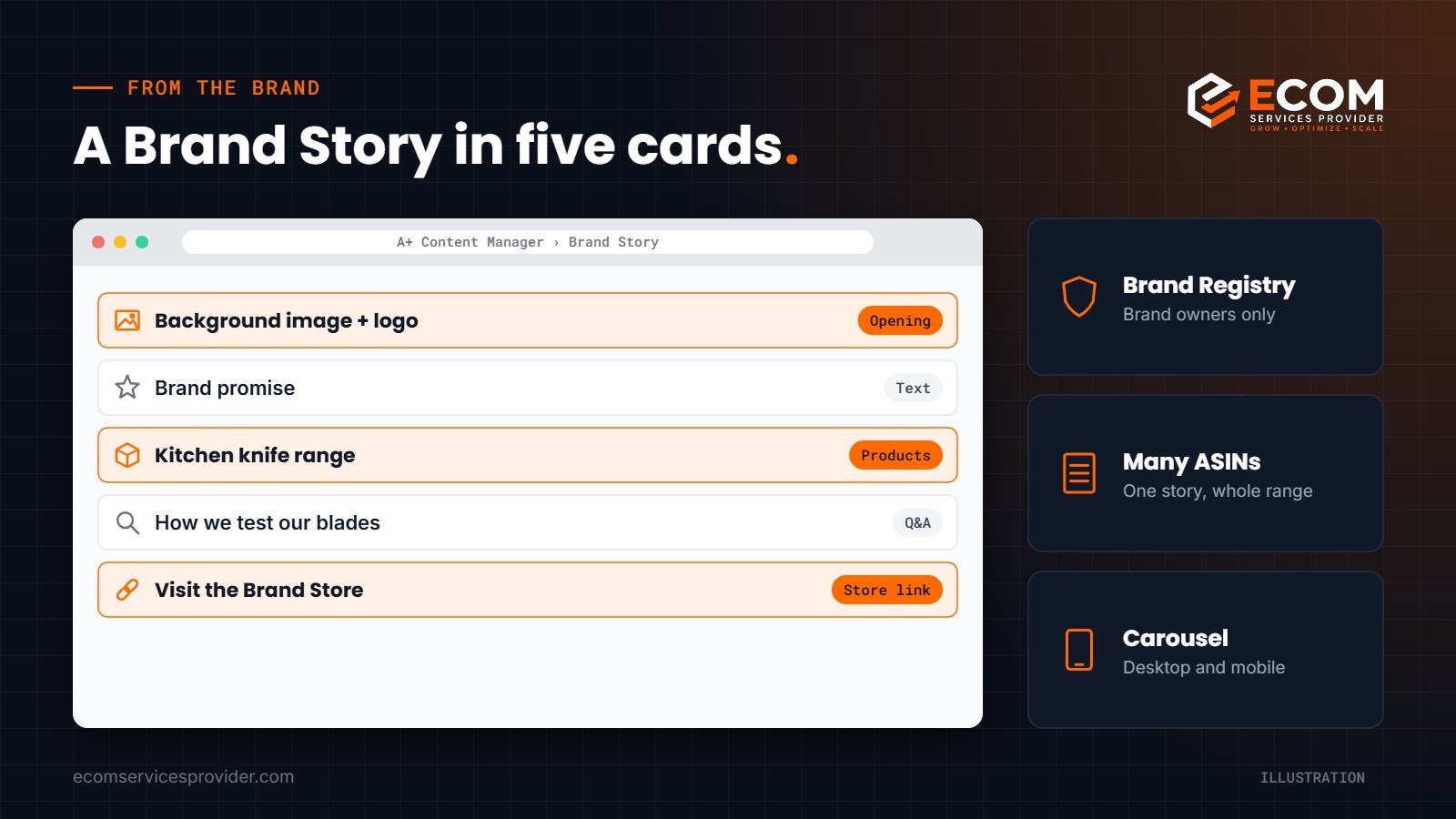
A strong Brand Story is a short, swipeable journey. Think of it as a mini Brand Store inside every product page. Most work well with this structure:
- Opening card with a background image – a strong brand image with your logo and a one-line description of who you are.
- Brand promise – what makes your brand different, in one or two short sentences.
- Range or collection cards – images that showcase other products or product lines and link shoppers to them.
- Question and answer – honest answers to the questions shoppers ask about your brand, such as materials, sourcing or how you test products.
- Store link – a clear route to your Brand Store for shoppers who want to see everything.
Keep the text brief. Shoppers move quickly through carousels, and the images should do most of the work.
Writing the copy
Write as if you were speaking to one customer. Lead each card with a short headline that makes sense on its own, then add one or two sentences of support. Use the language your buyers use in reviews, avoid internal jargon, and make every claim specific and true. If a card cannot be summed up in one line, it is probably trying to do too much.
How to Create an Amazon Brand Story
The Brand Story is built in the same place as your other A+ Content.
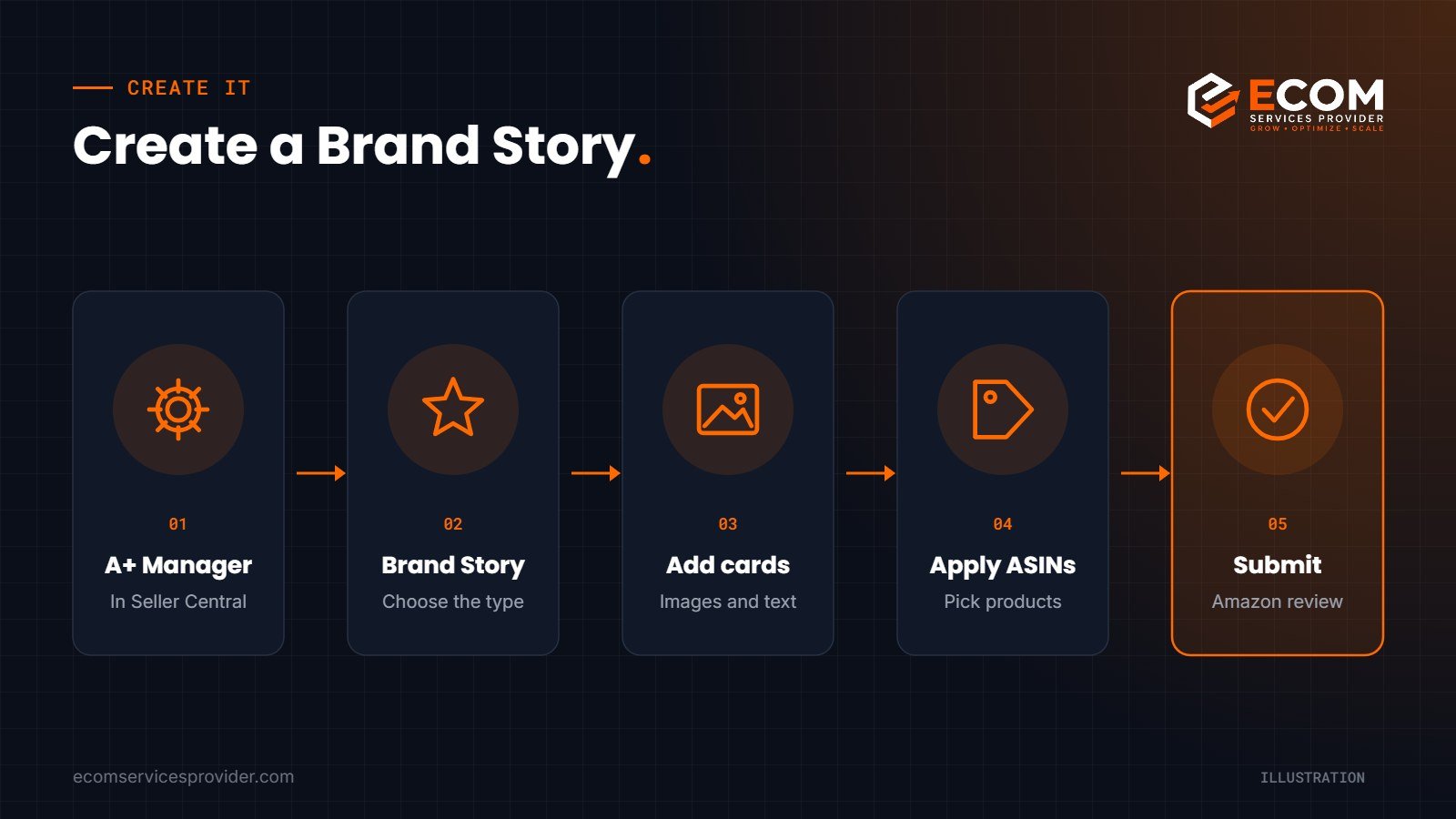
- In Seller Central, open A+ Content Manager.
- Start creating new A+ Content and choose Brand Story.
- Add your background image and the cards you want to include, with short headlines and text.
- Apply the Brand Story to the products you want it to appear on.
- Preview it on desktop and mobile, then submit it for Amazon’s review.
Once approved, the “From the brand” section appears on the products you selected. Plan your images before you start, so every card shares the same colours, fonts and style.
Brand Story Design Tips
- Design for mobile first. Many shoppers see your Brand Story on a phone. Check that every headline and image reads clearly at small sizes.
- Keep text out of small images. Put your message in the text fields where possible, and use images for products and lifestyle scenes.
- Show your range, not just your logo. The most useful Brand Stories help shoppers find the next product to buy.
- Stay consistent with your listings. Use the same colours and style as your product images, A+ Content and Brand Store.
- Keep it accurate. Avoid claims you cannot support, and update product cards when your range changes.
For more on planning modules that sell, see our guide to Amazon A+ Content design.
Why the Brand Story Matters for Sales
The Brand Story works on two levels. First, it builds trust. Shoppers comparing similar products often choose the one that feels like a real, established brand. A clear logo, a confident message and honest answers help you become that brand.
Second, it creates cross-selling paths. Every card linking to another product or to your Brand Store gives a shopper a reason to stay within your range instead of returning to search results, where competitors are waiting.
You can also measure its impact. Amazon’s Manage Your Experiments tool lets eligible brands test different versions of A+ Content, including the Brand Story, so you can see which approach performs better.
Common Brand Story Mistakes
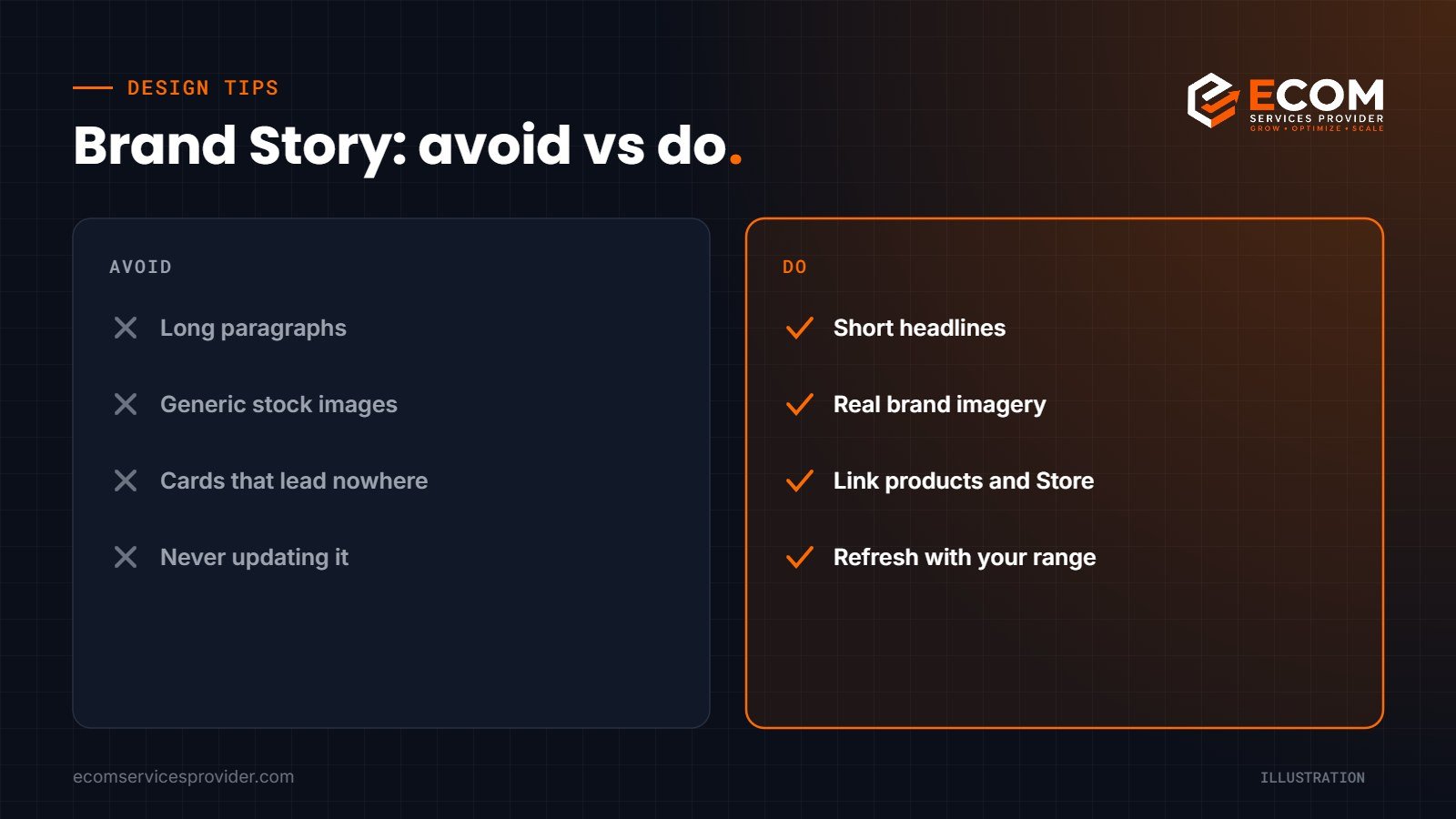
- Too much text. Long paragraphs in a carousel rarely get read.
- Generic stock imagery. Images that could belong to any brand do nothing to build trust.
- Dead ends. Product cards that do not lead anywhere useful waste your best cross-selling space.
- One-off effort. A Brand Story built years ago and never updated can show discontinued products or old branding.
How We Do It at ECOM Services Provider
When we build an Amazon Brand Story, we start with the brand rather than the template. We review the product range, reviews and customer questions to find the message and answers that matter most to buyers. We then write short, clear copy, design a consistent set of cards that work on mobile and desktop, and choose which products and collections to feature so the carousel creates real cross-selling paths. Finally, we apply the Brand Story across the right products and, where the brand is eligible, test versions to improve it over time.
Frequently Asked Questions
Where does the Amazon Brand Story appear?
It appears on your product detail pages in a dedicated section headed “From the brand”, separate from the product description A+ Content.
Do I need Brand Registry for a Brand Story?
Yes. The Brand Story is available to Professional sellers and vendors approved as brand owners through Amazon Brand Registry.
Can one Brand Story be used on all my products?
Yes. A Brand Story can be applied to multiple products in your catalogue, so you can show the same brand content across your range.
Is the Brand Story the same as A+ Content?
It is a type of A+ Content, but it has its own dedicated section and focuses on your brand and range rather than a single product.
Ready to Tell Your Brand’s Story?
ECOM Services Provider has 8+ years of eCommerce experience and has completed 768+ projects for brands worldwide. Our Amazon A+ Content team designs every Amazon Brand Story and A+ module to sell, and our Amazon storefront design team builds the Brand Store your story leads to. Book a free consultation to talk through your brand.